Installation
There are two separate installation programs for the 32-bit and 64-bit EES programs named EES_COOLPROP.exe and EES_COOLPROP64.exe. Download the program that matches your EES license type from our website. The package includes:
EES_COOLPROP.pdf {a help file in Acrobat format}
COOLPROP.dll or (COOLPROP64.dll) {the COOLPROP 8.0 property program}
EES_COOLPROP.FDL or. FDL64 {the interface program between EES and COOLPROP 8 - the filename extension is FDL64 for the 64-bit version}
EES_COOLPROP.CHM {a Windows compile help file providing user instructions for the EES_COOLPROP interface}
EES_COOLPROP.TXT {a text file read by EES that sets a number of constants}
EES_COOLPROP_Example.EES {a test file for the interface}
The installation program places these files in the \USERLIB (or USERLIB64) \EES_COOLPROP folder.
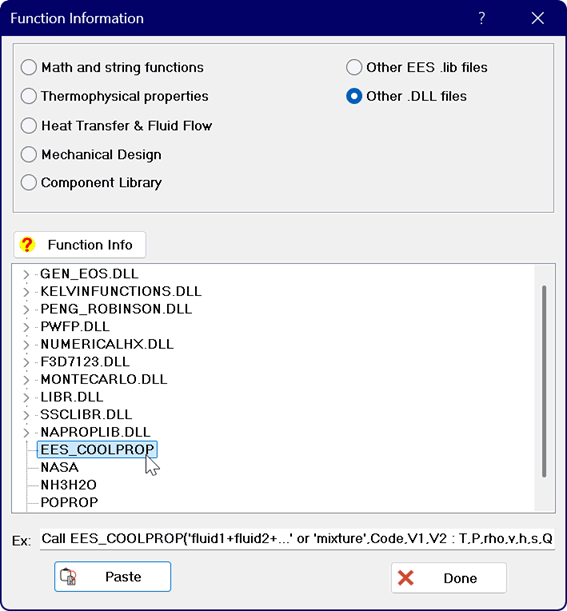
After installation, the EES_COOLPROP name should be visible in the Function Info dialog (Options menu) when you select the Other .DLL files radio button. Click on the EES_COOLPROP name to select it and then press the Function Info button to obtain these user instructions from within EES.