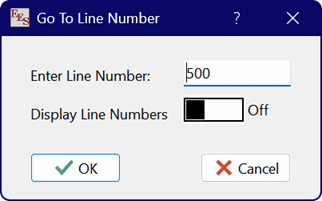
Go To Line Number
The Go To Line Number command is available when the Equations window is in front. After selecting this menu item, a dialog will appear where you can enter the line number.
Click OK to move the cursor in the Equations window to the selected line.
If you use this command, you will likely want to display line numbers in the Equations window. The line number display can be turned on or off by clicking the toggle control. Line numbers can also be turned on or off in the Preferences dialog or with the control in the Equation Window status bar.
Note that a Go To Line Number command is also available in the popup menu that appears when you right-click in the Equations window.